
Pre-Qualification Flow
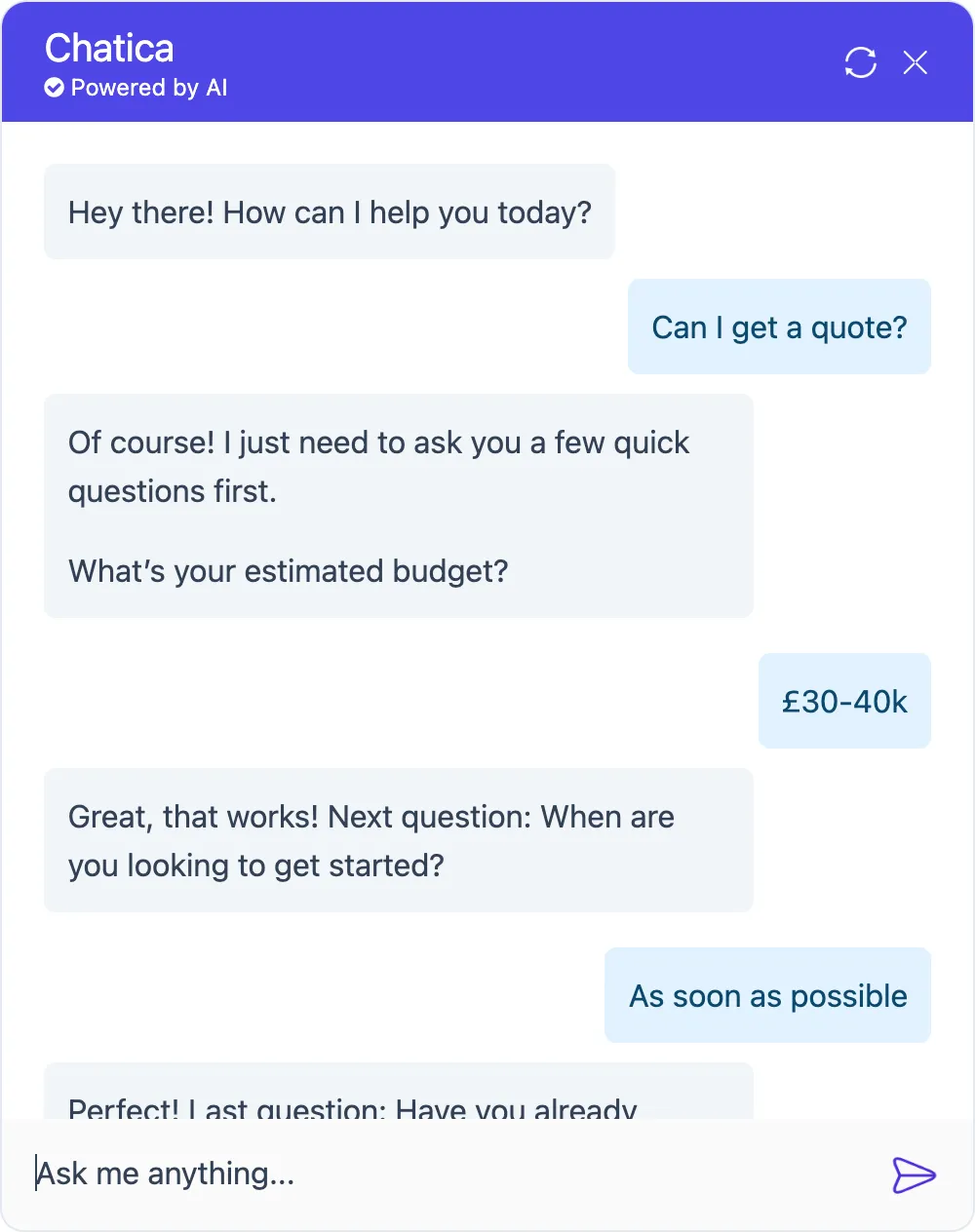
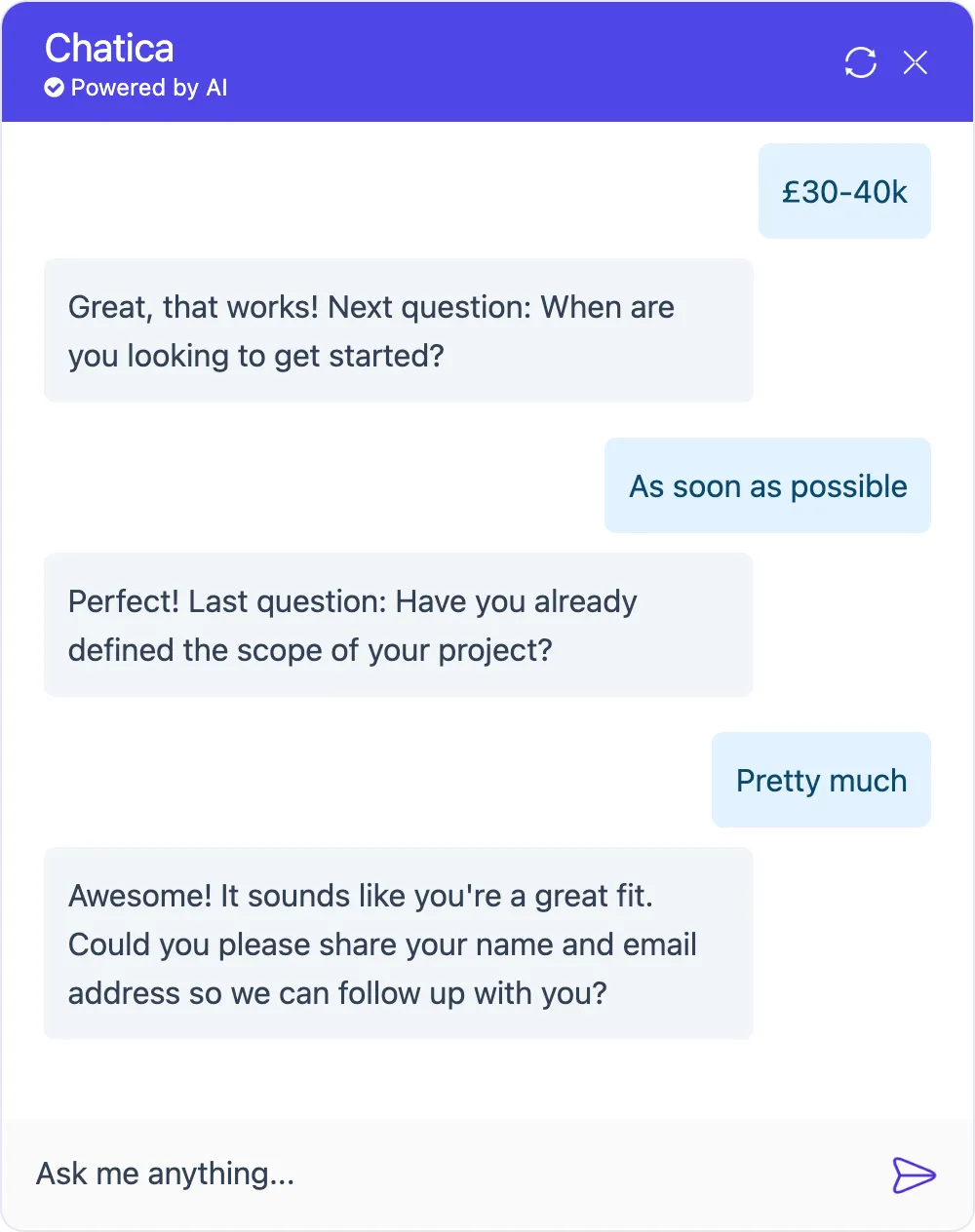
This prompt helps your Agent qualify leads before collecting contact details. It’s especially useful if your product or service is only suited for specific types of customers (e.g. large-budget projects or time-sensitive requests).
Full prompt
Section titled “Full prompt”If the user asks for a quote, ask them three qualification questions—one at a time—before collecting any personal details. Do not reveal the specific requirements for each question. After each answer, evaluate whether the user meets the requirement. If they don’t meet any one of them, stop the flow immediately and politely let them know they’re not a fit, explaining why. Do not proceed to the next question if a requirement has already been missed. If the user meets all three, then ask for their name and email to continue the conversation.1. What’s your estimated budget? Proceed only if it’s over £10,000.2. When are you looking to get started? Proceed only if it’s within the next 3 months.3. Have you already defined the scope of your project? Proceed only if the scope is clear or mostly defined.If they meet all three, ask for their name and email so you can follow up.Breakdown
Section titled “Breakdown”Trigger condition
Section titled “Trigger condition”“If the user asks for a quote…”
This defines when the flow should start. You can customise this to trigger based on other intents, like “If the user asks for a consultation” or “If the user shows interest in pricing.”
Ask one at a time
Section titled “Ask one at a time”“…ask them three qualification questions—one at a time…”
This prevents overwhelming the user and keeps the conversation natural. It also allows early exits if someone doesn’t qualify.
Don’t reveal requirements
Section titled “Don’t reveal requirements”“Do not reveal the specific requirements for each question.”
This prevents users from tailoring their answers just to qualify.
Reject immediately if any one fails
Section titled “Reject immediately if any one fails”“After each answer, evaluate whether the user meets the requirement. If they don’t meet any one of them, stop the flow immediately and politely let them know they’re not a fit, explaining why.”
This ensures that unqualified users don’t progress further.
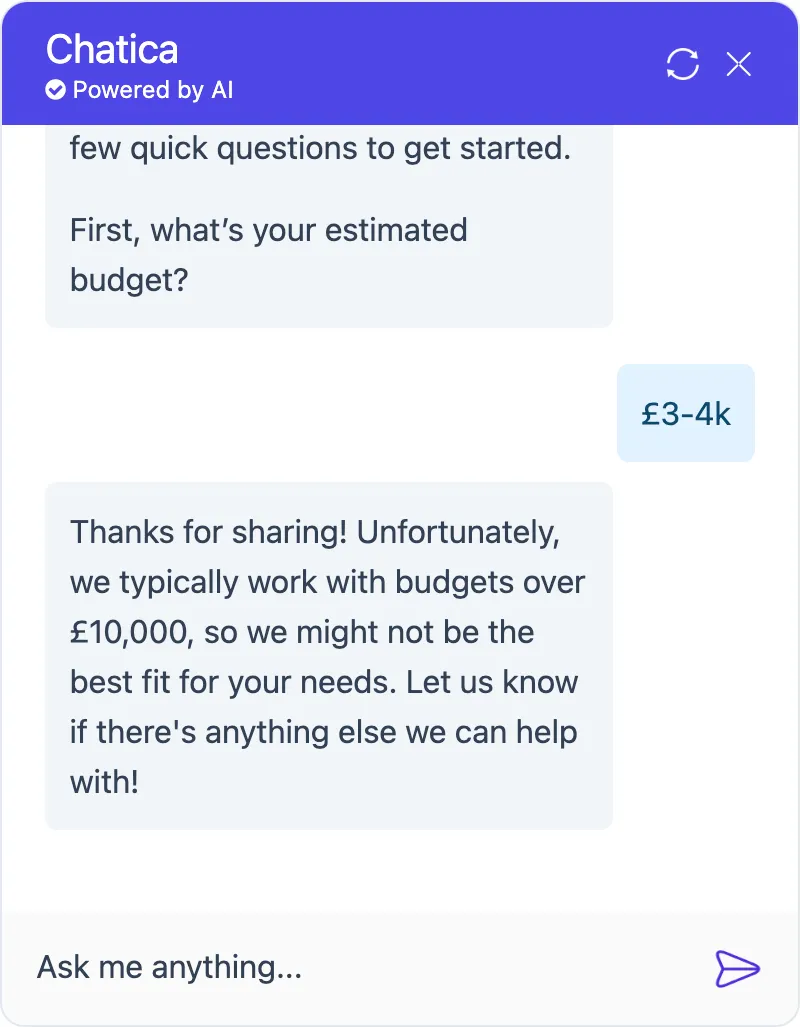
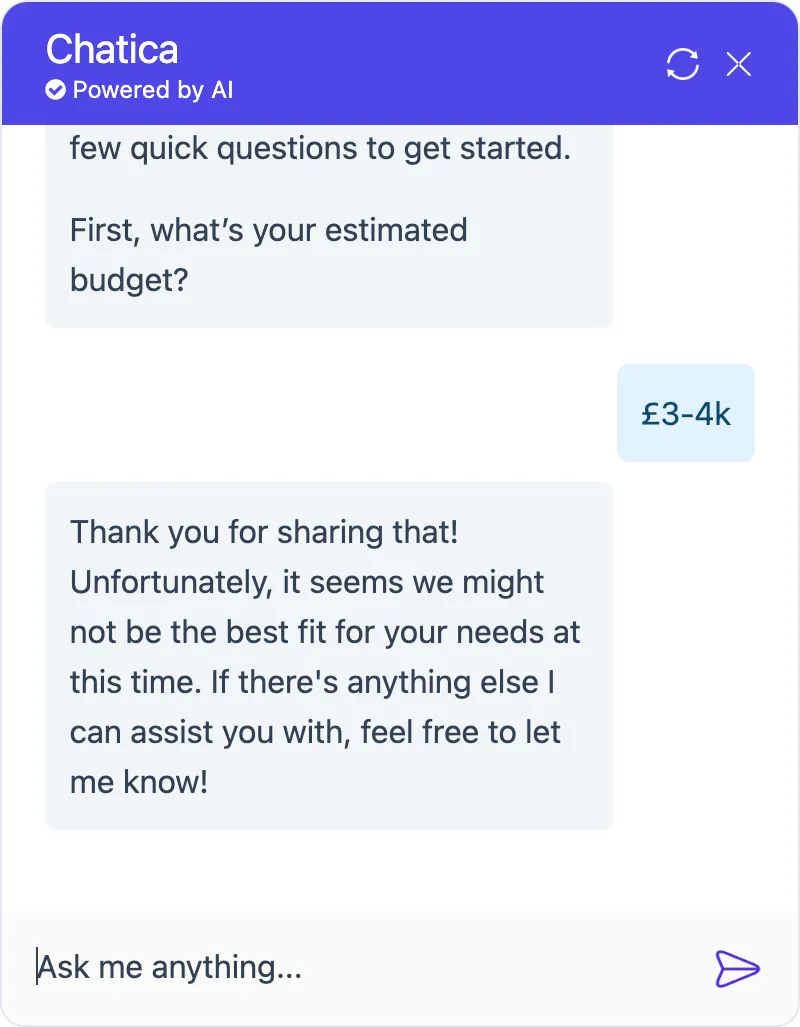
You can modify this part of the prompt to choose how transparent the rejection should be, depending on your preference:
- Transparent rejection, with a reason (left screenshot)
“…politely let them know they’re not a fit, explaining why.” - Discreet rejection, without a reason (right screenshot)
“…politely let them know they’re not a fit, do not explain why.”
Do not ask more if they’re not a fit
Section titled “Do not ask more if they’re not a fit”“Do not proceed to the next question if a requirement has already been missed.”
This avoids wasting time or asking unnecessary questions.
Ask for details only if they qualify
Section titled “Ask for details only if they qualify”“If the user meets all three, then ask for their name and email to continue the conversation.”
You only collect details from leads that meet all your criteria.
Your qualification questions
Section titled “Your qualification questions”This is where you set your criteria. In this example:
- Budget: over £10,000
- Timeline: within 3 months
- Project Scope: already defined
You can change these to suit your own requirements. Just remember to write both the question and the pass condition.